Data you record in the Dashr app goes straight to your CoachMePlus account through an instant data API, and results go directly to your athletes’ phones. Save hours on data entry.
Team system from $2,500 · promo code CMP50 adds 50 roster spots
Control your sports training, monitoring and Dashr data in one platform, on Android and iOS. The license runs for one year (12 calendar months) and does not include Dashr hardware.
Use promo code CMP50 with this purchase to get 50 roster spots credited to your Dashr account.
Leaderboards
Centralize athlete data
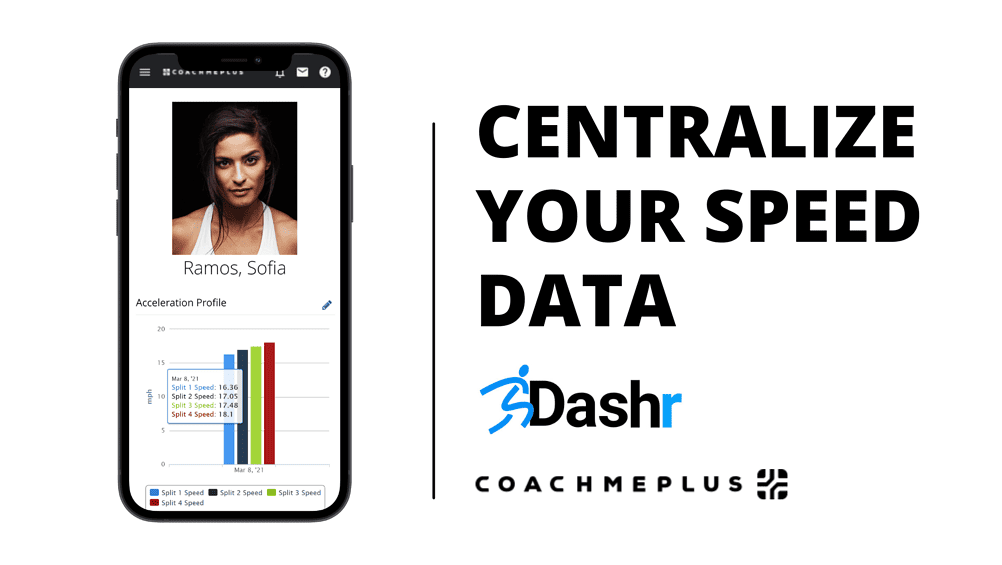
Get a clear picture of your team’s speed. CoachMePlus shows all speed data in a standard report, so you spend less time in Excel, and real-time athlete dashboards let you and your athletes see key data at a glance.
Speed data in a standard report
Real-time athlete dashboards
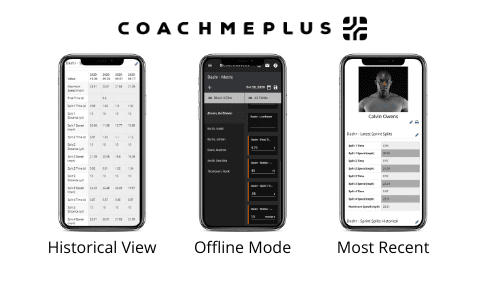
Easy to share with athletes
Communicate better
Speed scores on athletes’ phones
Push speed scores directly to your athletes’ phones. Athletes see their current and past speed scores on their athlete profile.
How to set it up
Four steps to connect
1. Sign up
Sign up for the CoachMePlus Pro Account or the SF Comprehensive Team System.
2. Hear from CoachMePlus
Your CoachMePlus account representative contacts you within 2 business days to set up your account and show you the ropes.
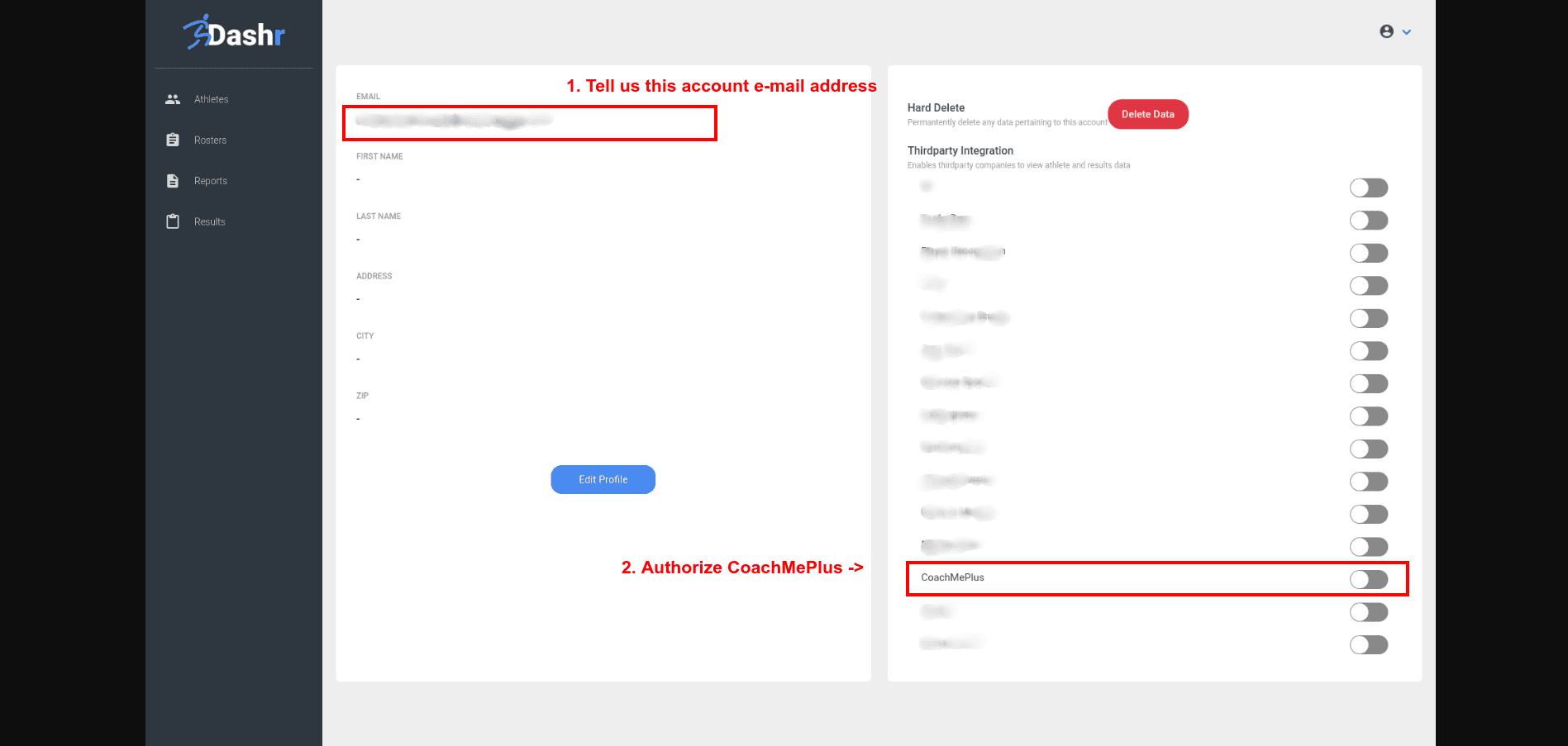
3. Authorize CoachMePlus
Authorize CoachMePlus in your Dashr account. This links the two accounts so data can flow between them.
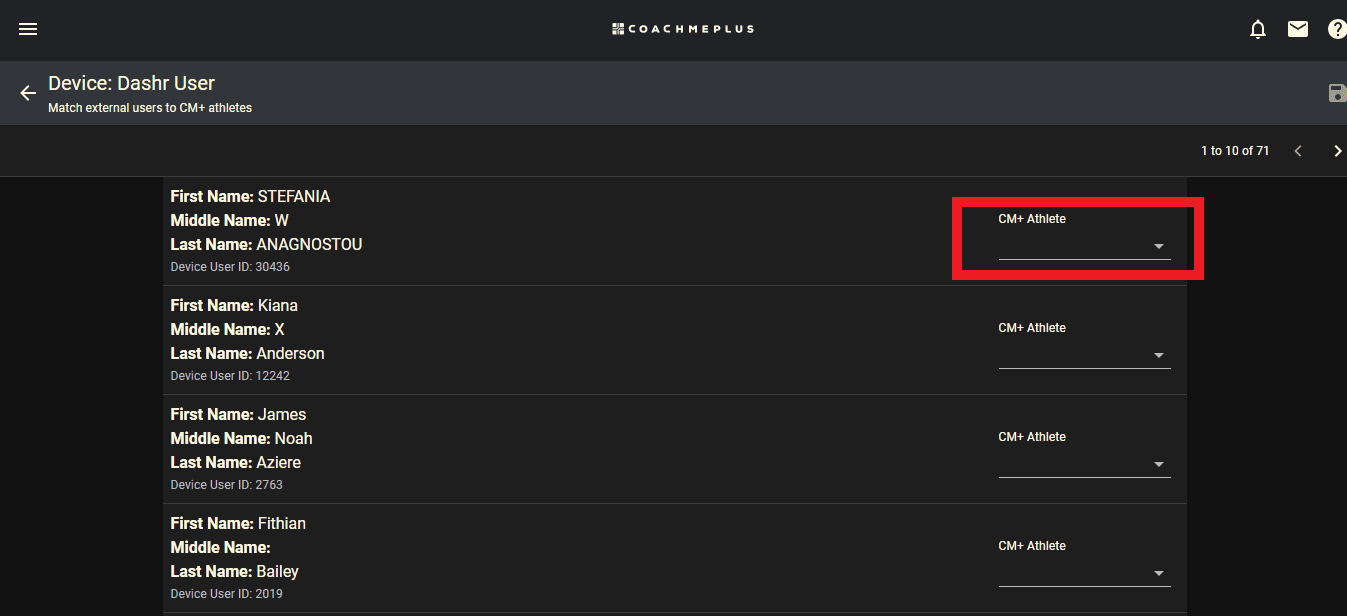
4. Match your athletes
Use the Alias Matcher to match athletes with their Dashr accounts, so each result goes to the right athlete.
Step 3: authorize CoachMePlus in your Dashr account.
Step 4: match athletes with the Alias Matcher.
That’s it. After these four steps, Dashr data updates in CoachMePlus every 5 minutes. Ready to bring in older results? Email your account rep to load your historical data.
No. The CoachMePlus SF Comprehensive Team System license is for one year (12 calendar months) and doesn’t include Dashr hardware. See Dashr timing kits.
How often does Dashr data update in CoachMePlus?
Every 5 minutes, once you finish the four setup steps.
Can I bring in results from before the integration?
Yes. Email your CoachMePlus account rep when you’re ready to load your historical data. It syncs all athlete data from your first Dashr test to your most recent.
How do I get the 50 roster spots?
Use promo code CMP50 when you buy the CoachMePlus SF Comprehensive Team System, and 50 roster spots are credited to your Dashr account.
What else does the team system do?
It brings in data from Dashr timing and jump systems, barbell tracking devices, force plates and other SimpliFaster hardware, with real-time dashboards, velocity-based training support, staff and athlete messaging, and ZenDesk support.
Need a hand choosing?
Not sure which setup fits your program?
Tell us what you test and how many athletes you have. We’ll recommend a kit, or quote it for your purchase order. Call 844.44.DASHR or email info@dashrsystems.com.