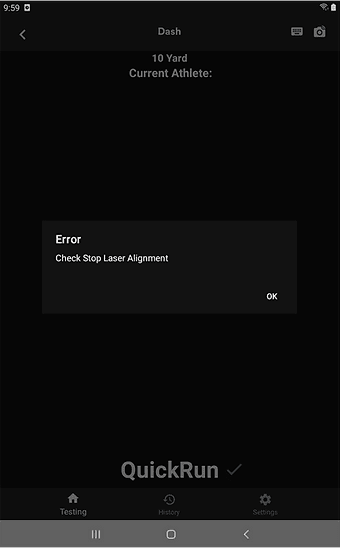
The Dashr system constantly checks to make sure every gate is aligned and will throw this message if a laser is not properly pointed at a reflector. This is to make sure you do not run a drill and get inaccurate results.
The most common reason this error message comes up is because the system is not “armed” and the athlete runs through the gate – specifically within the dash drill. The dash is a static start and you must get a “GO!” message before the athlete leaves the gate. When they leave the start gate, the “0.00” will turn blue – if it remains white the athlete likely left too early and the system is not yet armed. When they cross a split or stop gate the check alignment error will pop up.
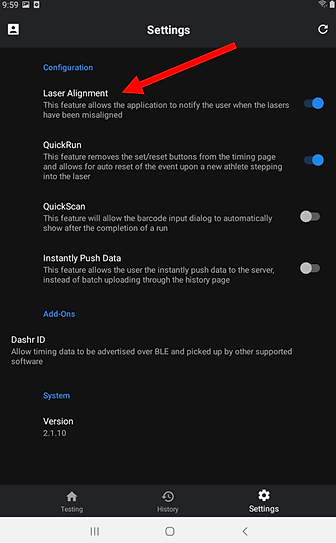
The other reason is what it was implemented for, for some reason a downfield laser got bumped in some fashion and is no longer pointed at the reflector. This error notifies you of this so it can quickly be addressed. Note that if for some reason you would like to prevent this message from popping up, you can turn it off in the settings.