Set-up and instructions
Pop time is measured as the moment the pitch hits the catcher’s mitt to the moment the intended fielder is projected to receive his throw at the center of the base. This is a quick motion that is full of potential bias. You can standardize it with 2 timing gates.
Step-By-Step Instructions
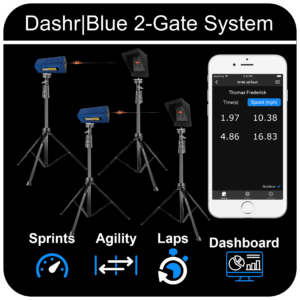
This drill uses 2 Dashr|Blue Timing gates. You likely already have your devices registered, if not – please check out the Flying Drill as it is the same process.
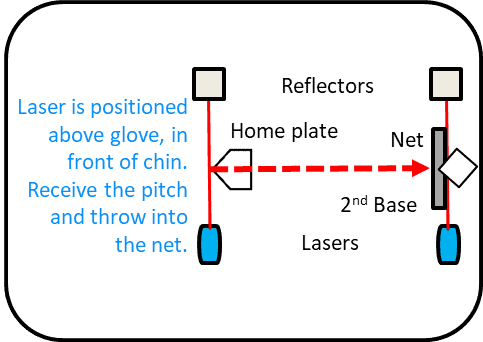
- To set-up this drill you will have a starting gate on regular tripods just above and in front of the catcher’s mitt.
- Set-up a net/target (NOT INCLUDED) where you want the ball thrown.
- Set-up the “Net Laser” just behind the respective nets so that when a football hits the net, the net will cross the laser/break the beam.
- To get to the Long Snapping drill go to Sport Collections > Football > Long Snapping.
- Power on both lasers, and connect them one at a time.
- Once all devices are connected, press “Start Testing”.
Running The Drill
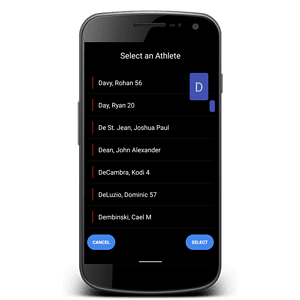
- Check in the appropriate athlete (details here) – optional.
- To start the drill, have the ball in the catcher’s mitt – or throw it to him/her, as soon as the catcher moves towards 2nd, entering the laser, the clock will start.
- We suggest having QuickRun off for this drill, that way your catcher can get appropriately set and you can press the “Set” button when they are ready.
- When the ball hits the target, the net crosses the stop gate aka “Net Laser” and the Pop Time will be presented.
Using Dashr Silver? Silver gates need no reflectors: place each gate where the instructions show a laser and skip the reflector steps. Silver can’t run in the same drill as Blue or 2.0 lasers.