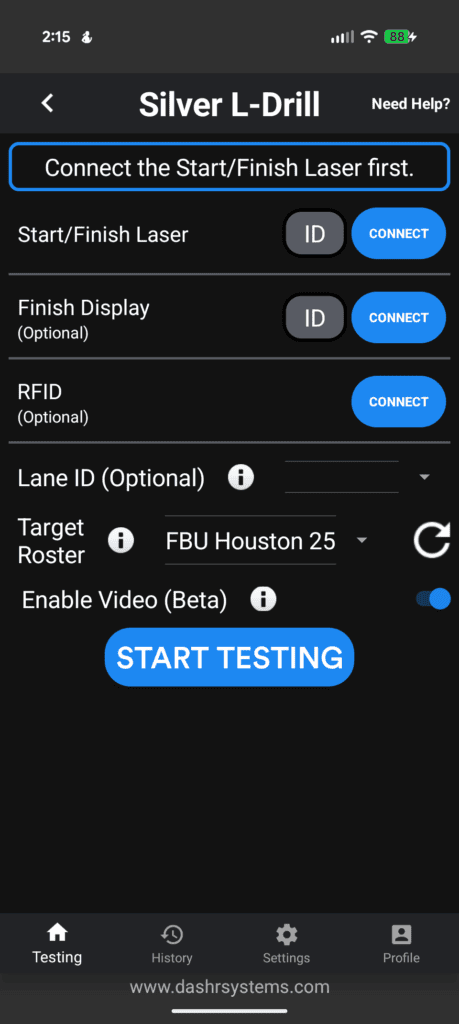
Most drills using our Silver or jump tech now allow for in-app video capture. So along with laser accuracy you can now visually validate your result.
Connect your lasers and start testing on your iOS device. Once on the testing page your will see two toggles, “Callout” and “Video”.
Having Callout on will have the app audibly say the name of the athlete and the final result once the result is saved. So in this instance it would say “Christian Cirilo – 7.40”.
If you have the Video option on, a tile will pop up using the camera on your phone or tablet. Use this to orient your camera to catch the drill.
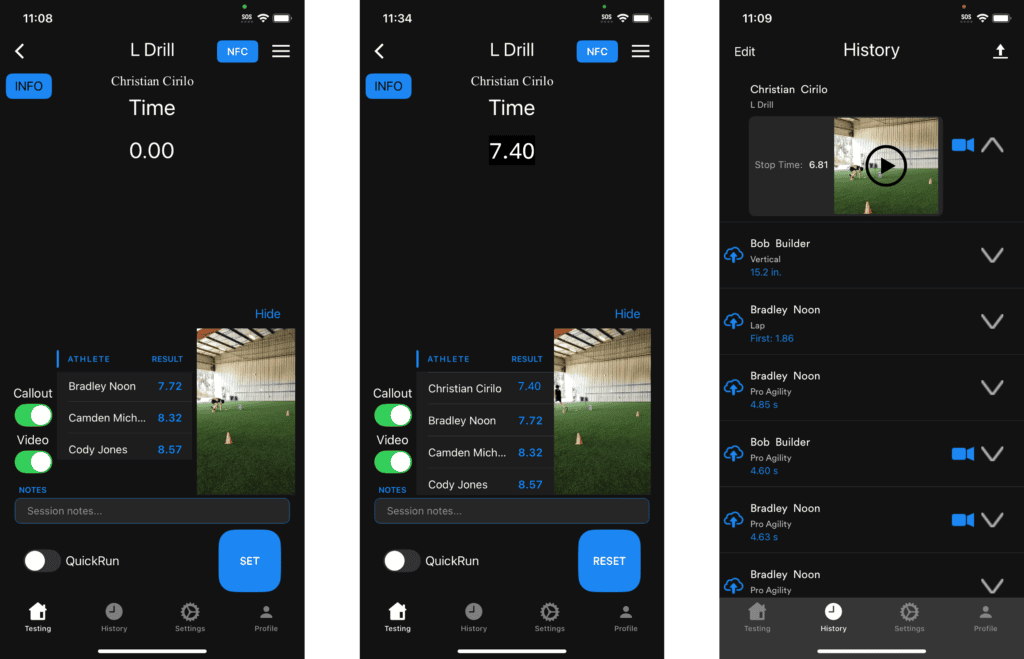
The system will automatically record and cut your video based on triggers from the timing or jumping technology. The video is saved locally in your history. At the end of the video it will show the name of the athlete, the drill that was ran, and the result.
Click on the video to view it, save it, or share to socials/email/etc. You will soon have the ability to save these videos to your online Dashboard and have them automatically sent to your athletes through the Player Profile App!
If you or using Android, you have the same capabilities. Just make sure that you turn on this feature when on the connection page.