Long snapping demands split-second precision, making hand timing impossible. Dashr's lasers are used as an adaptation of the Dash drill, ensuring precise measurement even for lightning-fast long snaps. Set up the starting laser on mini tripods at the snap point and position the stop laser just behind the target net (on taller tripods). When the Go! message flashes, execute the snap. The ball hitting the net triggers the stop laser, providing accurate timing. Perfect long snaps with Dashr's reliable measurement and enhance player skills on the field.
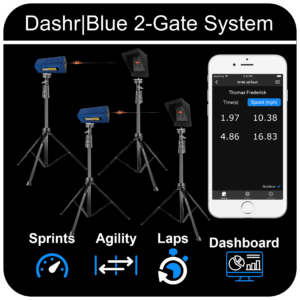
This drill uses 2 Dashr|Blue Timing gates. You likely already have your devices registered, if not – please check out the Dash Drill as it is the same process.
Step-By-Step Instructions
Navigate to the Long Snapping drill. Sports Collections > Football > Long Snapping
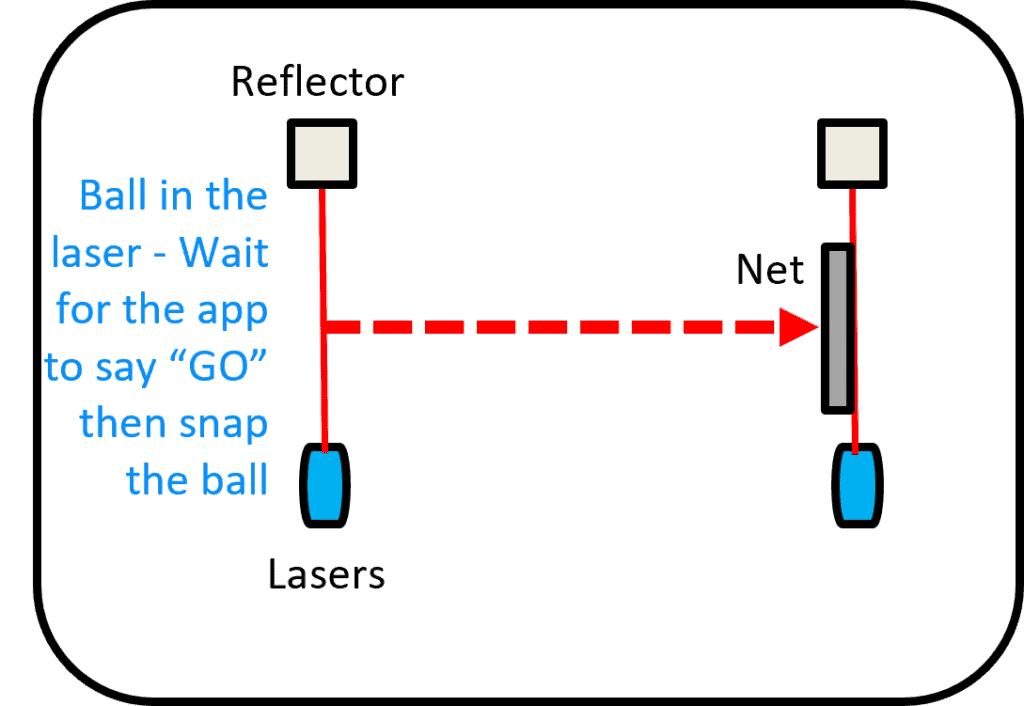
To set-up this drill you will have a starting gate “Ball Laser” on mini tripods where the ball will be snapped from.
Set-up a net/target (NOT INCLUDED) to snap the ball into.
Set-up the “Net Laser” just behind the respective nets so that when a football hits the net, the net will cross the laser/break the beam.
To get to the Long Snapping drill go to Sport Collections > Football > Long Snapping.
Power on both lasers, and connect them one at a time.
Once all devices are connected, press “Start Testing”.
Running The Drill
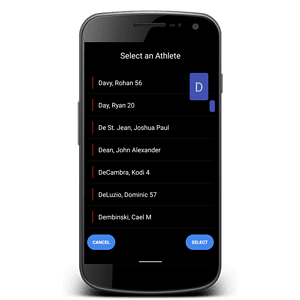
Check in the appropriate athlete (details here) – optional.
When ready, place the football in the starting gate aka “Ball Laser”. After blocking the laser for 3 sec you will get a “GO” message (with QuickRun on, if QuickRun is off you need to press “Set” once the ball is in the laser and you are ready), indicating that the system is ready and the ball can be snapped.
When the ball is napped and hits the target, the net crosses the stop gate aka “Net Laser” and a final long snap time will be presented.
Using Dashr Silver? Silver gates need no reflectors: place each gate where the instructions show a laser and skip the reflector steps. Silver can’t run in the same drill as Blue or 2.0 lasers.