1. Install the Dashr App
Install the Dashr app from the Apple App Store or Google Play Store.

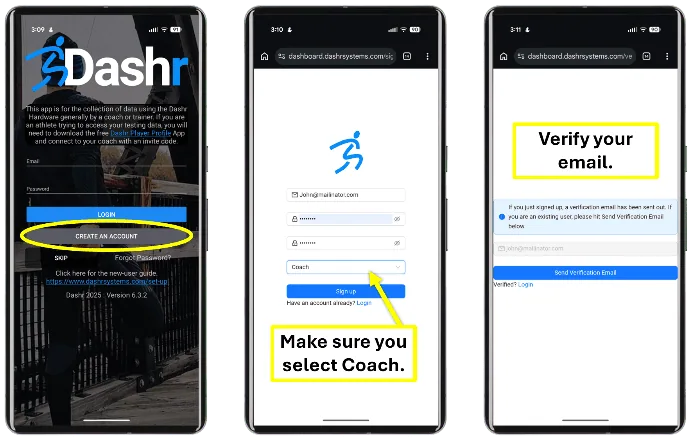
2. Login to the App
Select “Create an Account” if you do not already have one. Once created, login. This can also be done online – HERE. Note that you can manage all your athlete and their results on the online dashboard (previous link).
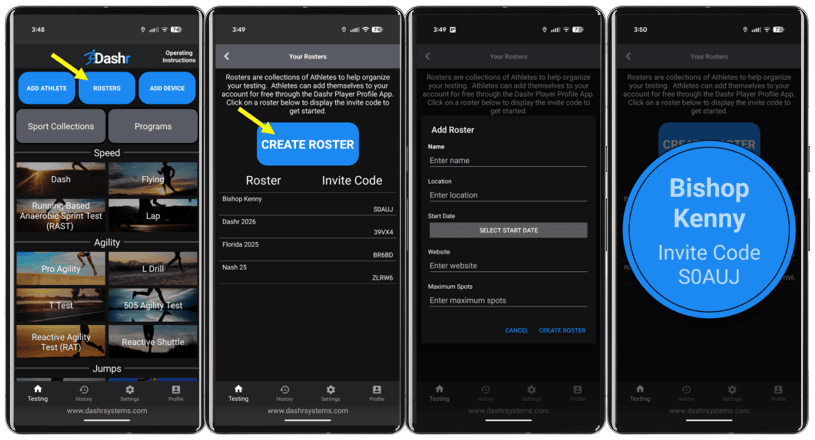
3. Create a Roster
Press the “Rosters” button at the top of the main screen and create a roster. More detailed information can be found online – HERE. You can also charge roster registration fees. HERE is a direct link showing how to do that.
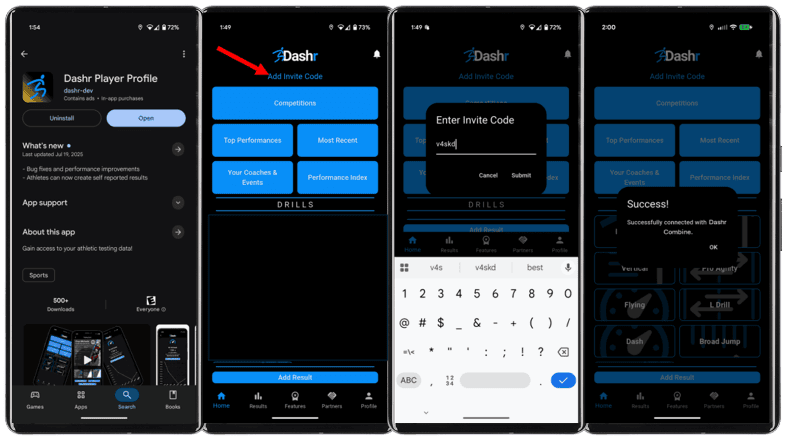
4. Share the Roster Invite Code
Have your athletes install the Dashr Player Profile app and create an account. They will need to provide their name, email, and birthdate.
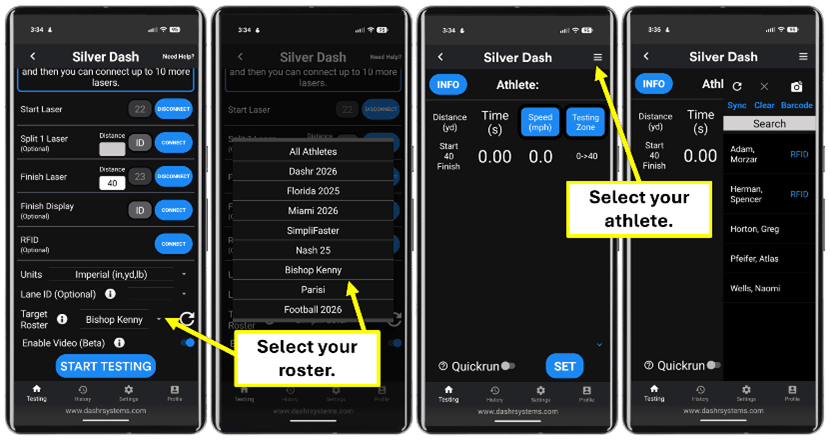
5. Test your Athletes
Select your drill, connect your tech, choose your roster, and check in your athlete before they test. The results will be saved and automatically sent to your online Dashboard and the athlete’s app. Check-in the next athlete and keep testing.