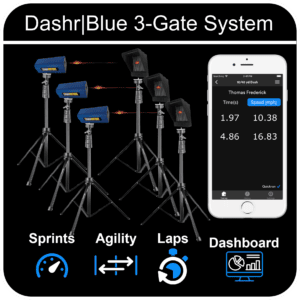
Measure your linear speed with this test, where athletes sprint over 3/4 of a basketball court (75 feet or 22.86 meters). For a more detailed assessment, use a 10-yard split, which can be captured with 3 gates, or utilize 2 gates for the standard measurement. Dashr ensures precise data for accurate speed evaluation.
This drill uses 2 or 3 Dashr|Blue Timing gates. You likely already have your devices registered, if not – please check out the Dash Drill as it is the same process.
Step-By-Step Instructions
Navigate to the 3/4 Court Dash. Sport Collections > Basketball > 3/4 Court Dash
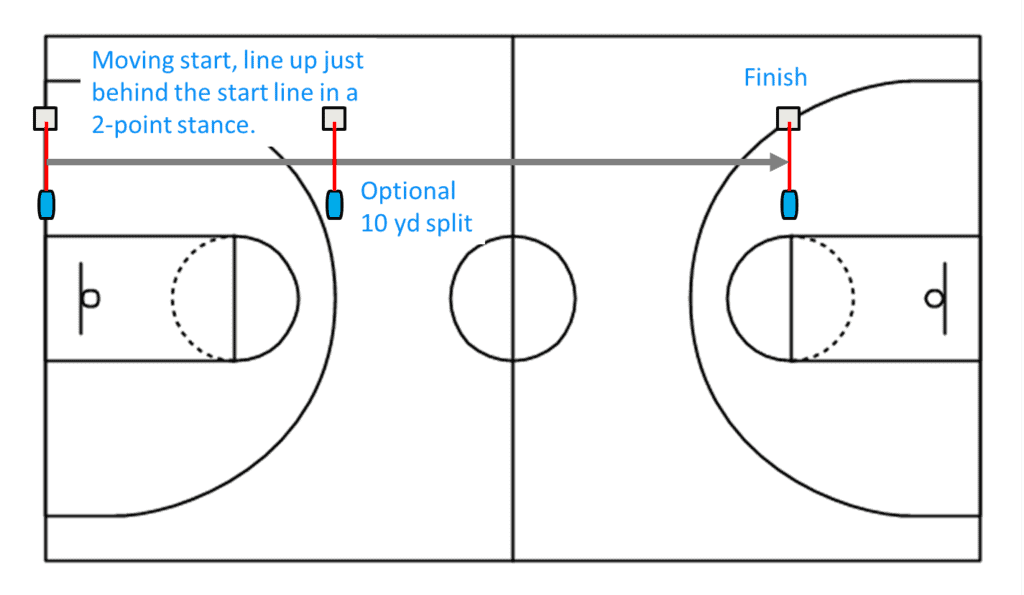
To set-up this drill you will have a starting gate on the baseline of the court, and the finish gate at the oposite free-throw line. An optional 10 yard split can be added in 10 yards from the starting gate.
For the starting gate you will want to have the laser on our regular tripods, around waist high. As the athlete starts to move forward, they will enter the laser which starts the clock.
Power on all lasers, and connect them one at a time.
Once all devices are connected, press “Start Testing”.
Running The Drill
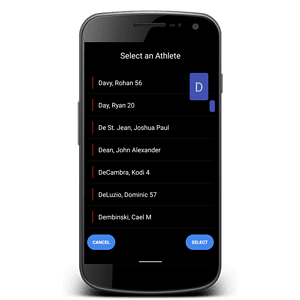
Check in the appropriate athlete (details here) – optional.
Have the athlete line up just behind the start laser.
With QuickRun on, the athlete can start when they are ready and the 0.00 will turn blue. Times will be recorded as they cross the downfield lasers.
With QuickRun off, press the “Set” button when they athlete is ready. When they hit the laser the 0.00 will turn blue.
Using Dashr Silver? Silver gates need no reflectors: place each gate where the instructions show a laser and skip the reflector steps. Silver can’t run in the same drill as Blue or 2.0 lasers.