Set-up and instructions
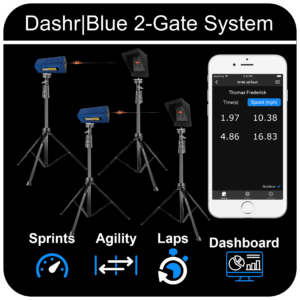
Base running is a commonly measured metric in baseball. This drill uses 2 or more Dashr|Blue Timing gates. You likely already have your devices registered, if not – please check out the Flying Drill as it is the same process.
Step-By-Step Instructions
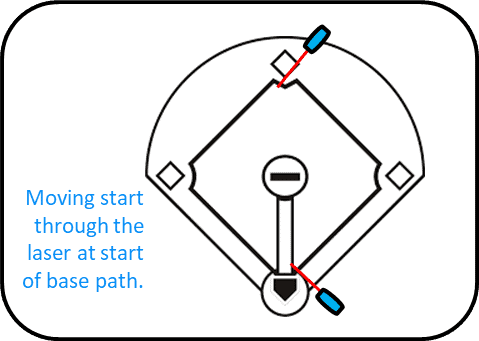
- To set-up this drill you will have a starting gate on regular tripods positioned just outside the batter’s box.
- If you are including splits (maybe you are doing home to 2nd with a split at first), set them up one either mini tripods across the edge of the base, or on regular tripods above the base – your preference.
- Set-up the finish laser on the edge of the bag the athlete is running to, as pictured in the video above.
- To get to the Base Running drills go to Sport Collections > Baseball and you will see Baserunning which allows for you to customize it however you like, or specific combinations of bases – like home to 1st or home to 2nd.
- Power on all lasers, and connect them one at a time.
- Once all devices are connected, press “Start Testing”.
Running The Drill
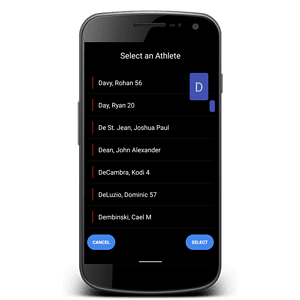
- Check in the appropriate athlete (details here) – optional.
- With QuickRun on, when the athlete moves through the starting gate -timing will start (time will turn blue – indicating that timing is taking place), and you get a result when you cross the next gate.
- With QuickRun off (option in settings) you will see “Set” and “Reset” buttons to give you control of when a test starts. Press “Set” once the athlete is ready to take off. Press “Reset” to clear the time for the next athlete.
Using Dashr Silver? Silver gates need no reflectors: place each gate where the instructions show a laser and skip the reflector steps. Silver can’t run in the same drill as Blue or 2.0 lasers.